
AI Variables
Overview
AI Variables can be generated using the Use AI option within the Set Variable action.
They allow you to generate, extract, and transform data using natural language, without writing custom scripts or complex parsing logic.
AI Variables are especially useful when the data:
- Is dynamic or context-dependent
- Requires reasoning or aggregation
- Is difficult to extract reliably using a single locator
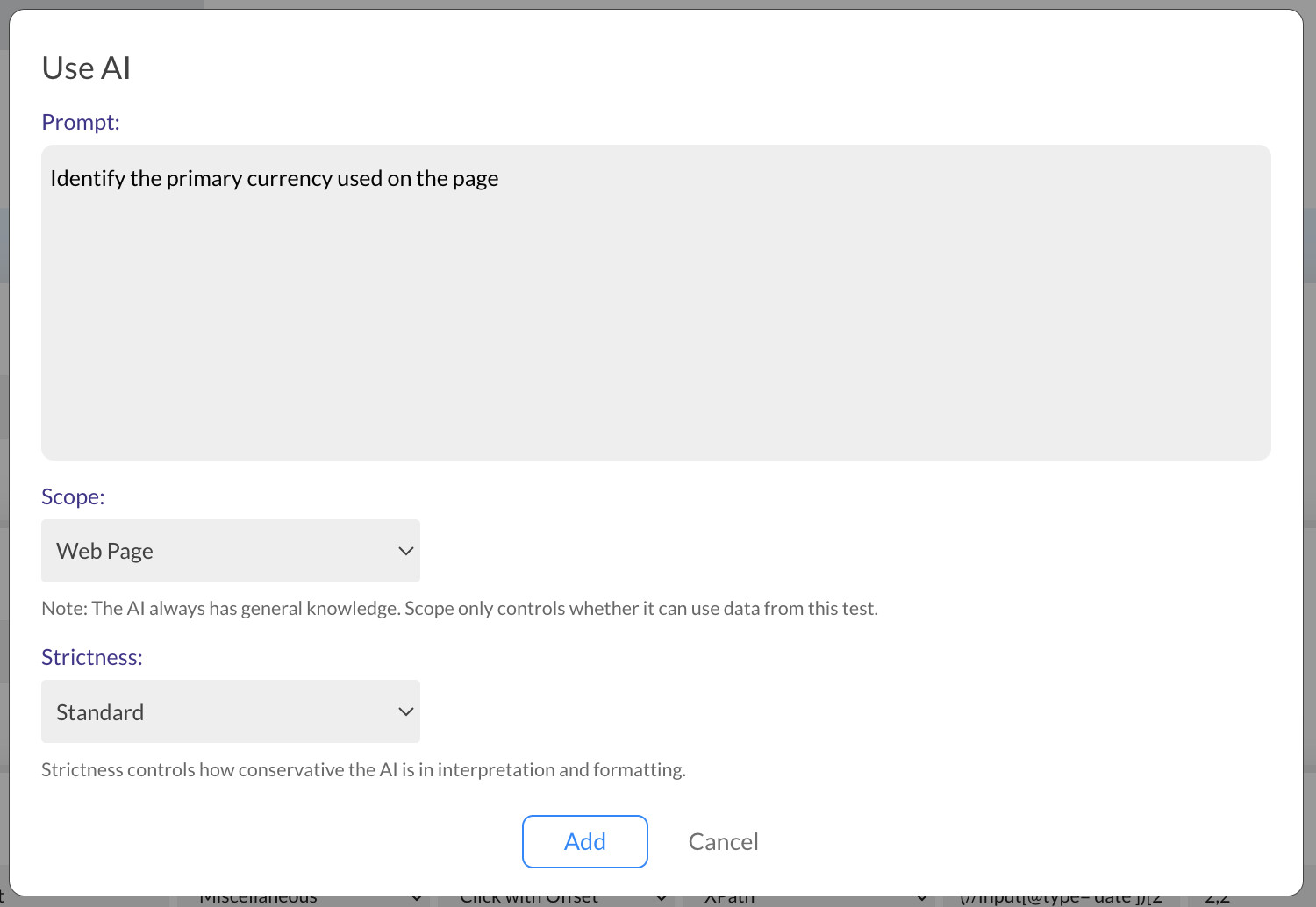
Scope Options
The Scope defines where the AI gets its information from.
Only one scope can be selected per AI Variable.
Web Tests
1. General Knowledge
Uses general, real-world knowledge and does not depend on the application under test.
Example prompts:
Generate a random fictional mobile phone number from SwedenGenerate a valid IBAN for Germany
2. Web Page
When Web Page is selected, the AI processes:
- The current URL
- The page source
- A screenshot of the page
Example prompts:
Calculate the total value by adding up all the prices from the "Price" column from the tableIdentify the primary currency used on the pageExtract the value represented by the largest segment of the pie chart
3. Cookies
Extracts values from browser cookies.
Example prompts:
Extract the value of the cookie that contains the user session informationGet the value of the HubSpot tracking cookie
4. Variables
Allows the AI to read, combine, and transform existing variables.
Example prompts:
Add up all the numerical values from the variables that contain the prices of the productsExtract the customer ID from the nested JSON stored in the $responseBody variableCalculate the number of days between the start date and end date variables
5. Test Execution Logs
Allows the AI to analyze execution logs and derive values.
Example prompts:
Get the number of total Click steps executed so farExtract the latest URL that was accessed in this test execution
Mobile Tests
For Mobile Tests, web-specific scopes are replaced with App Screen.
1. App Screen
When App Screen is selected, the AI processes:
- The app screen source
- A screenshot of the current screen
Example prompts:
Extract the option that is visually marked as recommendedGet the name of the largest city shown on the mapExtract the name of the main shopping category shown on the screen
Strictness Levels
When generating or extracting AI Variables, you can control how strict the AI should be.
Strict
Precise extraction. Fails if the value is unclear or ambiguous.Standard
Balanced interpretation.
Recommended for most use cases.Lenient
Tolerant of ambiguity, formatting differences, or partial matches.
Best Practices
- Be explicit about what value you want to generate or extract.
- Use General Knowledge only when the value does not depend on the application.
- Prefer Standard strictness for most variables.
- Use Strict strictness for values that affect critical test logic.